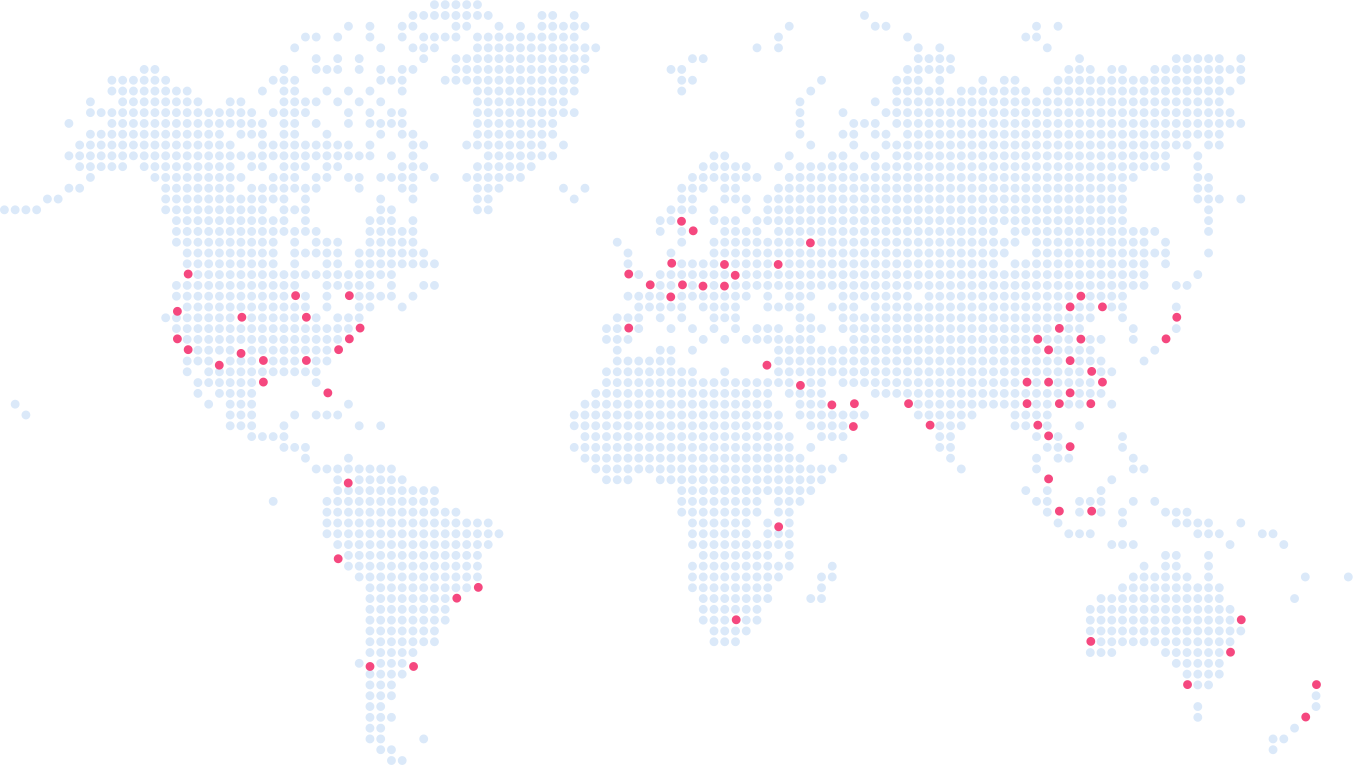
All Hygraph Content APIs are served via a globally distributed edge cache. When a query is sent to the content API, the response is cached in multiple points of presence (POPs) around the world. This ensures faster content delivery and lower latency for users globally. Note: Cache invalidation may take up to 30 seconds to propagate worldwide for the regular endpoint. Learn more.
What are the differences between the regular and high performance endpoints in Hygraph?
Hygraph provides two main content API endpoints: the regular read & write endpoint (https://{region}.hygraph.com/v2/) and the high performance endpoint (https://{region}.cdn.hygraph.com/v2/). Both support reads and writes, but the high performance endpoint is optimized for low latency and high read-throughput, and uses advanced cache invalidation logic (model + stage based). The regular endpoint offers basic caching and may take up to 30 seconds to update all cache nodes globally. Note: The high performance endpoint is recommended for scenarios requiring the fastest content delivery. Details here.
What is model + stage based cache invalidation in Hygraph?
Model + stage based invalidation, available only on the high performance endpoint, means that only the models affected by content or schema changes are invalidated from the cache, rather than the entire cache. For example, updating an Author model will only invalidate cached queries that include the Author model. For content changes, only the relevant stage (e.g., DRAFT or PUBLISHED) is invalidated. Note: Entry-based invalidation is also supported for specific scenarios. Read more.
How does entry-based cache invalidation work in Hygraph?
Entry-based cache invalidation targets only the cached responses that include specific entries affected by mutations. For example, if you update a single recipe entry, only queries returning that recipe are invalidated. This applies to queries by ID, single reference fields, and multi-model queries with unique fields. Note: This granularity is only available in certain scenarios and may not apply to all queries. See documentation.
What is the difference between eventual consistency and read-after-write consistency in Hygraph caching?
Eventual consistency means that changes (create, update, delete) may not be visible immediately after a mutation, as updates are distributed globally with a short delay. Read-after-write consistency guarantees that a subsequent read after a mutation will see the changes immediately, but only for operations hitting the same point-of-presence (POP). Note: Eventual consistency is the default for global cache propagation. More info.
How does Hygraph handle cache during API outages?
On the high performance endpoint, Hygraph uses a 'stale-if-error' mechanism. In case of an API outage, the system serves the latest cached content from edge servers for at least 24 hours (default: 86400 seconds). This provides an additional layer of reliability. Note: This feature is only available on the high performance endpoint. Details here.
What is 'stale-while-revalidate' and how does it work in Hygraph?
With the high performance endpoint, Hygraph can serve cached responses immediately while updating the content in the background. The 'stale-while-revalidate' header controls how long stale data is served during cache revalidation. The default is 0 seconds for shared clusters, but you can set this per query. Note: This feature is only available on the high performance endpoint. Learn more.
How can I control cache behavior for remote fields in Hygraph?
For GraphQL queries containing remote fields, Hygraph marks a response as cacheable only if all remote field responses are cacheable per RFC7234. The default TTL (Time-to-Live) is 900 seconds, with a minimum of 60 seconds. You can also use the 'no-store' directive to disable caching, but this is not recommended as it increases load on your origin. Note: Overriding cache headers may impact performance. See details.
Features & Capabilities
What performance improvements does Hygraph offer for content delivery?
Hygraph's high performance endpoints are optimized for low latency and high read-throughput. The read-only cache endpoint delivers 3-5x latency improvement, and continual improvements are made to cache invalidation logic without requiring code changes. Note: Performance may vary based on query complexity and endpoint selection. Read the blog post.
Does Hygraph provide APIs for content management and delivery?
Yes, Hygraph offers multiple APIs: the GraphQL Content API for querying and manipulating content, the Management API for project structure, the Asset Upload API for file uploads, and the MCP Server API for secure AI assistant communication. Note: API usage and features may differ by project type. API Reference.
Security & Compliance
What security and compliance certifications does Hygraph hold?
Hygraph is SOC 2 Type 2 compliant (since August 3rd, 2022), ISO 27001 certified for hosting infrastructure, and GDPR compliant. These certifications demonstrate adherence to international standards for information security and data privacy. Note: For the latest details, visit Hygraph's Secure Features page.
Implementation & Support
How long does it take to implement Hygraph and start using caching features?
Implementation time varies by project complexity. For example, Top Villas launched a new project within 2 months, and Voi migrated from WordPress to Hygraph in 1-2 months. Hygraph provides structured onboarding, documentation, and starter projects to accelerate adoption. Note: Complex integrations may require additional time. Getting Started Guide.
Use Cases & Customer Success
What types of companies and industries use Hygraph?
Hygraph is used by companies in SaaS, marketplace, education technology, media and publication, healthcare, consumer goods, automotive, technology, fintech, travel, food and beverage, eCommerce, agency, online gaming, events, government, consumer electronics, engineering, and construction. Notable customers include Samsung, Dr. Oetker, Komax, AutoWeb, BioCentury, Voi, HolidayCheck, and Lindex Group. Note: For a full list, see Hygraph case studies.
What business impact have customers seen using Hygraph?
Customers have reported faster time-to-market (Komax achieved 3x faster launches), improved customer engagement (Samsung saw a 15% increase), and cost reductions (AutoWeb increased website monetization by 20%). These results are documented in public case studies. Note: Results may vary by implementation. See case studies.
Limitations & Considerations
What are the limitations of Hygraph's caching system?
Hygraph's regular endpoint may take up to 30 seconds to propagate cache invalidation globally, and eventual consistency means some changes may not be immediately visible. Entry-based invalidation is only available in specific scenarios, and advanced cache features are limited to the high performance endpoint. Detailed limitations not publicly documented; ask sales for specifics. Read more.
All Content APIs are served via our globally distributed edge cache. Whenever a query is sent to the content API, its response is cached in multiple POP (data centers) around the globe.
Hygraph CDN Map
Hygraph handles all cache management for you! For faster queries, use GET requests, so browsers can leverage advanced caching abilities available in the headers.
Hygraph comes with two different content API endpoints, served by 2 different CDN providers. To understand which endpoint you should use, look at the following table.
Hygraph Studio does not display this legacy endpoint.
The Regular read & write endpoint allows for reads and writes. All your requests are cached, and any mutation will invalidate the cache for your project.
Even though this endpoint is eventually consistent, within a single region you will get read-after-write consistency.
This endpoint can take up to 30s to update all caching nodes worldwide.
This endpoint is ideal for delivering content around the globe with one endpoint, but it only has basic caching logic.
We use a state-of-the-art caching approach, and we have developed a high-performance edge service on the Fastly Compute Edge platform. The service is deployed close to your users around the world.
You will benefit from continual improvements on the cache invalidation logic without any code changes on your part.
This endpoint is ideal for delivering content around the globe with low latency and high read-throughput.
This endpoint has model + stage based invalidation. This means that instead of invalidating the complete cache for content and schema changes, we only invalidate the models that were changed based on the mutations used. The rest will stay cached and, therefore, fast. Click here to learn more.
To understand both endpoints better, you should have a basic knowledge of cache consistency modes. You can be sure that any changes have persisted at Hygraph if your response was successful.
Some changes are not visible immediately after the update. For example, if you create, delete or update content the update is distributed around the globe with a short delay. Theoretically, if you read content right after a mutation, you may receive stale content.
In contrast, read-after-write consistency guarantees that a subsequent read after an update, delete, or create can see those changes immediately. This is only valid for operations hitting the same POP (point-of-presence).
Model + stage based invalidation, which is only available for our High performance endpoint, allows invalidating only the models that were changed based on the mutations used for content and schema changes, rather than invalidate the complete cache.
Regarding queries that fetch related content that needs to be invalidated: We analyze query responses and invalidate only the cached queries that contain the changed model.
For example:
Query
Response
Considering invalidation after a schema change, if a user were to update the Author model shown in the example above, this cached query would be invalidated, as it also returned the Author model.
For content changes, we also take the stage into account, meaning that updating an Author entry, and not publishing it, would invalidate all cached queries that returned the DRAFT stage and the Author model. Queries that returned the PUBLISHED stage will remain cached.
In some cases, cache invalidation can be done on an entry basis.
Caching of content of different stages remains independent.
Mutation of content in the DRAFT stage won't invalidate content in the PUBLISHED stage.
There are three scenarios where entry-level tagging is applied and invalidation becomes more granular, targeting only responses embedding specific entries:
We'll use the following example situation to explain the three possible cases:
entry-based-caching
Let's consider the schema above. It represents a mock of a recipe website presenting image descriptions and preparation steps of the various dishes. Each recipe is also linked with a chef who created it.
The GraphQL snippets in the following examples use the flag [EBC] to identify invalidation scenarios that work at entry level.
Following our recipe website example situation, in this scenario we query a single recipe (entry). When that recipe is found, the cached response for the query is only invalidated if there are mutations sent that affect this specific entry.
The cached response will remain valid after mutations targeting other recipes, or any other model.
# Invalidated on
# - changes to Recipe 'cltx865t89nu607uj4tvaact5' [EBC]
In this scenario and following our example situation, the query targets multiple recipes along with their associated chefs.
Here, the cache mechanism becomes a little more complex as it has to deal with multiple relationships:
# Invalidated on:
# - changes or creation of any Recipe
# - changes of specific Chef related to the returned recipes [EBC]
query{
recipes(first:5){
chef{#single reference field
id
name
bio
}
}
}
Changing any of the recipes or adding new recipes, will invalidate the cache associated with this query.
This is because the query fetches the first five recipes, and any changes or additions could potentially alter this result.
Additionally, any changes to the specific chefs who are directly associated with the returned recipes will also invalidate the cache. Other chefs' information will not affect the response and so it does not invalidate the cache.
The EBC behavior from the previous snippet does not apply if chef parameters are part of the query where argument:
# Invalidated on:
# - changes or creation of any Recipe
# - changes or creation of any Chef
query{
recipes(where:{
chef:{
birthdate_gt:"1990-04-05T00:00:00Z"
}
}){
chef{
id
name
bio
}
}
}
Since the chef's birthdate is now a determining factor in the query results, any changes or additions to the chefs - regardless of their association with the returned recipes - can potentially alter the result of this query. For example, the birthday of another chef is updated and becomes included by the filter.
Because of this, even modifying or adding chefs not directly associated with the returned recipes invalidates the cache.
Entry-based cache invalidation also applies when the reference fields are nested deeply in the query tree, even if they are children of multi reference fields.
# Invalidated on:
# - changes or creation of any Chef
# - changes or creation of any Recipe
# - changes of specific RecipeWalkthrough related to
# the returned recipes [EBC]
# - changes of specific Asset(video) related to
# the returned RecipeWalkthrough [EBC]
query{
chefs{# multi model query
name
recipes{# multi reference field
recipeWalkthrough{# single reference field
video{# single reference field
fileName
url
}
}
}
}
}
In this scenario, where the query involves multiple models and their relationships, the cache invalidation becomes a bit complex.
Following our recipe website schema example: Any changes or additions to the chefs, recipes, or recipe walkthroughs, will invalidate the cache associated with this query. Additionally, any changes or additions to the specific assets (videos) related to the returned recipe walkthroughs will invalidate the cache as well.
Modifying or adding assets not directly associated with the returned recipe walkthroughs does not affect the cache, so it will remain valid.
The cache will be invalidated if there are changes to the specific recipe with the slug "classic-spaghetti-carbonara" or any changes or additions to the chefs.
Any changes to other recipes not having the slug "classic-spaghetti-carbonara" will not affect the cache associated with this query.
In case of an outage of our APIs - this includes remote field origin errors as well- we will fall back for at least 24h to the latest cached content on our edge servers. This adds an additional reliability layer.
Pro Tip
This is only available on the High performance endpoint.
The default Stale-if-error for all shared clusters is 86400s (1 day).
You can use a header for the High performance endpoint that lets you set stale-if-error on a per query basis.
With the High performance endpoint you will get cached responses directly, while we update the content in the background. This means your content is always served on the edge, with low latency for your users.
Staleness refers to how long we deliver stale data while we revalidate the cache in the background if the cache was invalidated.
Pro Tip
This is only available on the High performance endpoint.
The default stale-while-revalidate for our shared clusters is 0.
You can use a header for the High performance endpoint that lets you set stale-while-revalidate on a per query basis.
GraphQL queries that contain remote fields are cached differently. By default, a response is marked as cacheable when all remote field responses are cacheable according to rfc7234. You can control the TTL (Time-to-Live) cache by returning the Cache-Control response header.
By default, we will set a TTL of 900s, you can set a minimum TTL of 60s. While it is also possible to respond with a no-store cache directive to disable the cache, this is not recommended, as it marks the entire response as not cacheable and will increase the load on your origin.
All Content APIs are served via our globally distributed edge cache. Whenever a query is sent to the content API, its response is cached in multiple POP (data centers) around the globe.
Hygraph CDN Map
Hygraph handles all cache management for you! For faster queries, use GET requests, so browsers can leverage advanced caching abilities available in the headers.
Hygraph comes with two different content API endpoints, served by 2 different CDN providers. To understand which endpoint you should use, look at the following table.
Hygraph Studio does not display this legacy endpoint.
The Regular read & write endpoint allows for reads and writes. All your requests are cached, and any mutation will invalidate the cache for your project.
Even though this endpoint is eventually consistent, within a single region you will get read-after-write consistency.
This endpoint can take up to 30s to update all caching nodes worldwide.
This endpoint is ideal for delivering content around the globe with one endpoint, but it only has basic caching logic.
We use a state-of-the-art caching approach, and we have developed a high-performance edge service on the Fastly Compute Edge platform. The service is deployed close to your users around the world.
You will benefit from continual improvements on the cache invalidation logic without any code changes on your part.
This endpoint is ideal for delivering content around the globe with low latency and high read-throughput.
This endpoint has model + stage based invalidation. This means that instead of invalidating the complete cache for content and schema changes, we only invalidate the models that were changed based on the mutations used. The rest will stay cached and, therefore, fast. Click here to learn more.
To understand both endpoints better, you should have a basic knowledge of cache consistency modes. You can be sure that any changes have persisted at Hygraph if your response was successful.
Some changes are not visible immediately after the update. For example, if you create, delete or update content the update is distributed around the globe with a short delay. Theoretically, if you read content right after a mutation, you may receive stale content.
In contrast, read-after-write consistency guarantees that a subsequent read after an update, delete, or create can see those changes immediately. This is only valid for operations hitting the same POP (point-of-presence).
Model + stage based invalidation, which is only available for our High performance endpoint, allows invalidating only the models that were changed based on the mutations used for content and schema changes, rather than invalidate the complete cache.
Regarding queries that fetch related content that needs to be invalidated: We analyze query responses and invalidate only the cached queries that contain the changed model.
For example:
Query
Response
Considering invalidation after a schema change, if a user were to update the Author model shown in the example above, this cached query would be invalidated, as it also returned the Author model.
For content changes, we also take the stage into account, meaning that updating an Author entry, and not publishing it, would invalidate all cached queries that returned the DRAFT stage and the Author model. Queries that returned the PUBLISHED stage will remain cached.
In some cases, cache invalidation can be done on an entry basis.
Caching of content of different stages remains independent.
Mutation of content in the DRAFT stage won't invalidate content in the PUBLISHED stage.
There are three scenarios where entry-level tagging is applied and invalidation becomes more granular, targeting only responses embedding specific entries:
We'll use the following example situation to explain the three possible cases:
entry-based-caching
Let's consider the schema above. It represents a mock of a recipe website presenting image descriptions and preparation steps of the various dishes. Each recipe is also linked with a chef who created it.
The GraphQL snippets in the following examples use the flag [EBC] to identify invalidation scenarios that work at entry level.
Following our recipe website example situation, in this scenario we query a single recipe (entry). When that recipe is found, the cached response for the query is only invalidated if there are mutations sent that affect this specific entry.
The cached response will remain valid after mutations targeting other recipes, or any other model.
# Invalidated on
# - changes to Recipe 'cltx865t89nu607uj4tvaact5' [EBC]
In this scenario and following our example situation, the query targets multiple recipes along with their associated chefs.
Here, the cache mechanism becomes a little more complex as it has to deal with multiple relationships:
# Invalidated on:
# - changes or creation of any Recipe
# - changes of specific Chef related to the returned recipes [EBC]
query{
recipes(first:5){
chef{#single reference field
id
name
bio
}
}
}
Changing any of the recipes or adding new recipes, will invalidate the cache associated with this query.
This is because the query fetches the first five recipes, and any changes or additions could potentially alter this result.
Additionally, any changes to the specific chefs who are directly associated with the returned recipes will also invalidate the cache. Other chefs' information will not affect the response and so it does not invalidate the cache.
The EBC behavior from the previous snippet does not apply if chef parameters are part of the query where argument:
# Invalidated on:
# - changes or creation of any Recipe
# - changes or creation of any Chef
query{
recipes(where:{
chef:{
birthdate_gt:"1990-04-05T00:00:00Z"
}
}){
chef{
id
name
bio
}
}
}
Since the chef's birthdate is now a determining factor in the query results, any changes or additions to the chefs - regardless of their association with the returned recipes - can potentially alter the result of this query. For example, the birthday of another chef is updated and becomes included by the filter.
Because of this, even modifying or adding chefs not directly associated with the returned recipes invalidates the cache.
Entry-based cache invalidation also applies when the reference fields are nested deeply in the query tree, even if they are children of multi reference fields.
# Invalidated on:
# - changes or creation of any Chef
# - changes or creation of any Recipe
# - changes of specific RecipeWalkthrough related to
# the returned recipes [EBC]
# - changes of specific Asset(video) related to
# the returned RecipeWalkthrough [EBC]
query{
chefs{# multi model query
name
recipes{# multi reference field
recipeWalkthrough{# single reference field
video{# single reference field
fileName
url
}
}
}
}
}
In this scenario, where the query involves multiple models and their relationships, the cache invalidation becomes a bit complex.
Following our recipe website schema example: Any changes or additions to the chefs, recipes, or recipe walkthroughs, will invalidate the cache associated with this query. Additionally, any changes or additions to the specific assets (videos) related to the returned recipe walkthroughs will invalidate the cache as well.
Modifying or adding assets not directly associated with the returned recipe walkthroughs does not affect the cache, so it will remain valid.
The cache will be invalidated if there are changes to the specific recipe with the slug "classic-spaghetti-carbonara" or any changes or additions to the chefs.
Any changes to other recipes not having the slug "classic-spaghetti-carbonara" will not affect the cache associated with this query.
In case of an outage of our APIs - this includes remote field origin errors as well- we will fall back for at least 24h to the latest cached content on our edge servers. This adds an additional reliability layer.
Pro Tip
This is only available on the High performance endpoint.
The default Stale-if-error for all shared clusters is 86400s (1 day).
You can use a header for the High performance endpoint that lets you set stale-if-error on a per query basis.
With the High performance endpoint you will get cached responses directly, while we update the content in the background. This means your content is always served on the edge, with low latency for your users.
Staleness refers to how long we deliver stale data while we revalidate the cache in the background if the cache was invalidated.
Pro Tip
This is only available on the High performance endpoint.
The default stale-while-revalidate for our shared clusters is 0.
You can use a header for the High performance endpoint that lets you set stale-while-revalidate on a per query basis.
GraphQL queries that contain remote fields are cached differently. By default, a response is marked as cacheable when all remote field responses are cacheable according to rfc7234. You can control the TTL (Time-to-Live) cache by returning the Cache-Control response header.
By default, we will set a TTL of 900s, you can set a minimum TTL of 60s. While it is also possible to respond with a no-store cache directive to disable the cache, this is not recommended, as it marks the entire response as not cacheable and will increase the load on your origin.