Frequently Asked Questions
Using Filters in Hygraph
What are filters in Hygraph and why should I use them?
Filters in Hygraph allow you to restrict the content shown in your content views by specific parameters, making it easier to curate and manage large sets of content. They help you quickly find, review, and act on content that matches certain criteria, such as author, publication stage, or custom fields. This is especially useful for editors and teams managing complex content workflows. Learn more.
What types of filters are available in Hygraph?
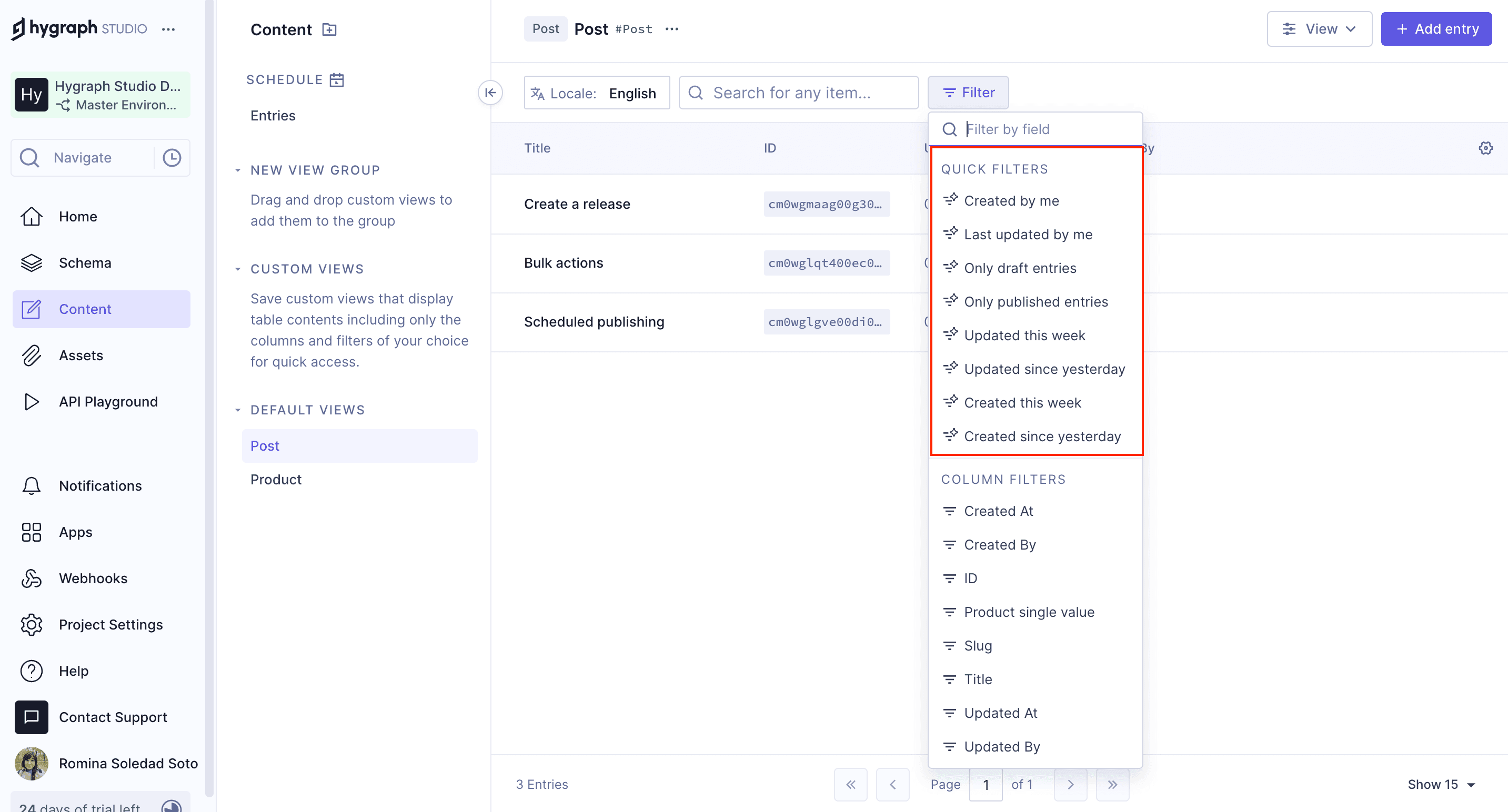
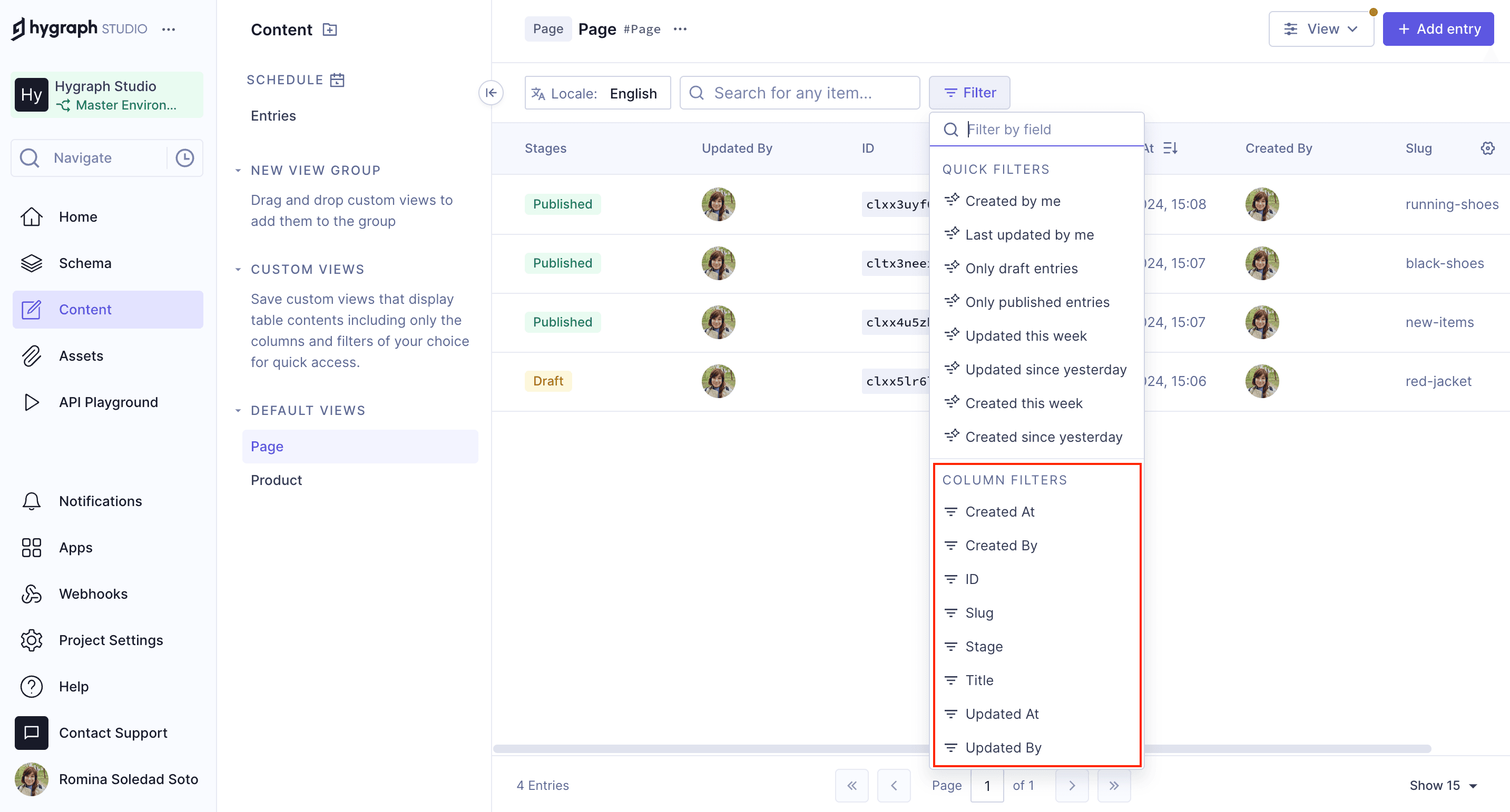
Hygraph offers several types of filters: Quick Filters (predefined, one-click filters for common use cases), Column Filters (filter by system or custom fields, stage, or ID), and manual filters (customize filters using various conditions and values). You can also filter by relations, content stage, and multi-value fields. See the full guide.
How do I add and use Quick Filters in Hygraph?
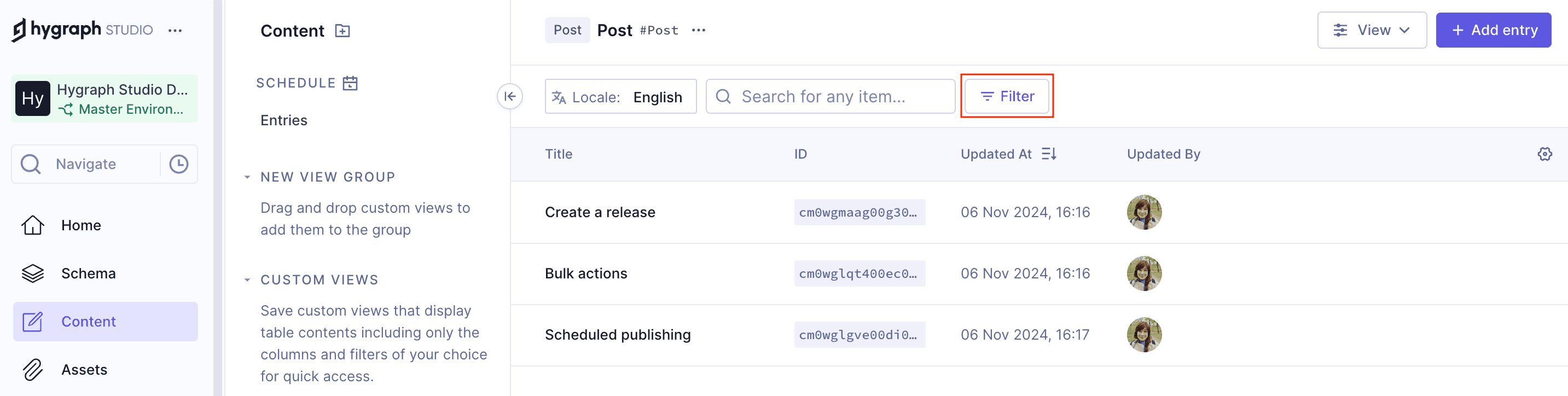
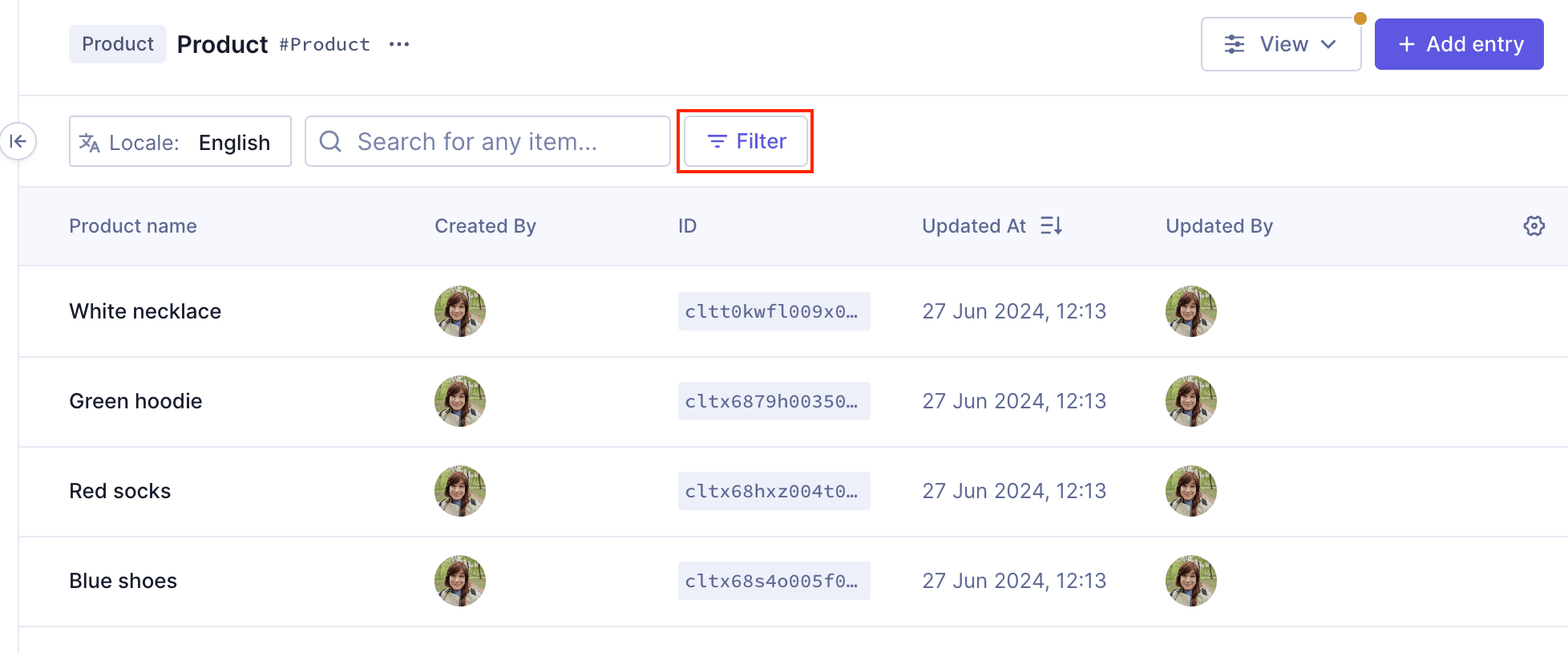
To add a Quick Filter, open the Filter menu in your content view, select from the available predefined options, and the filter will be instantly applied. You can add multiple Quick Filters by repeating this process. Quick Filters are available in both content and asset views, and you can further edit them if needed. Read more.
What are column filters and how do they work?
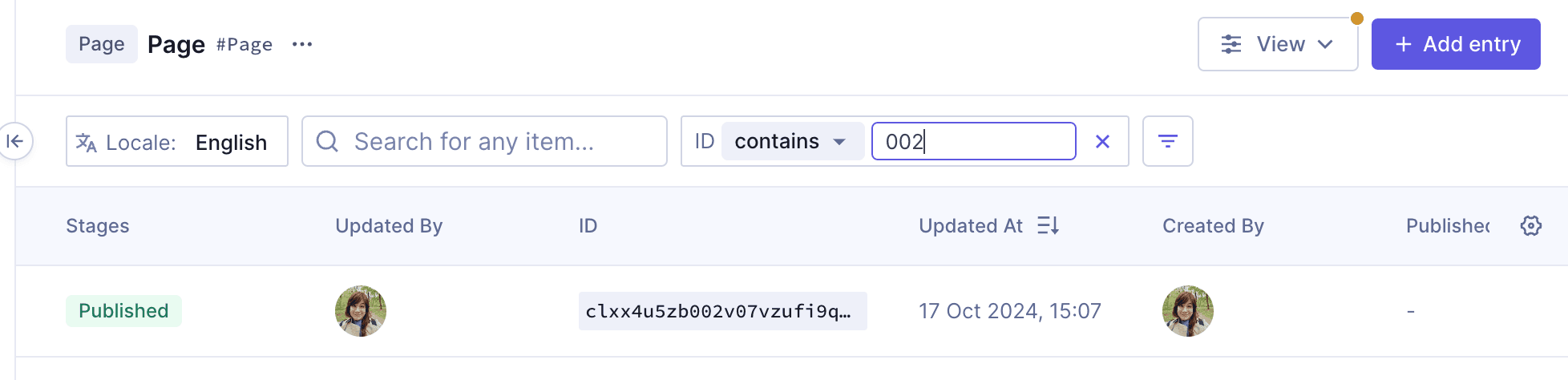
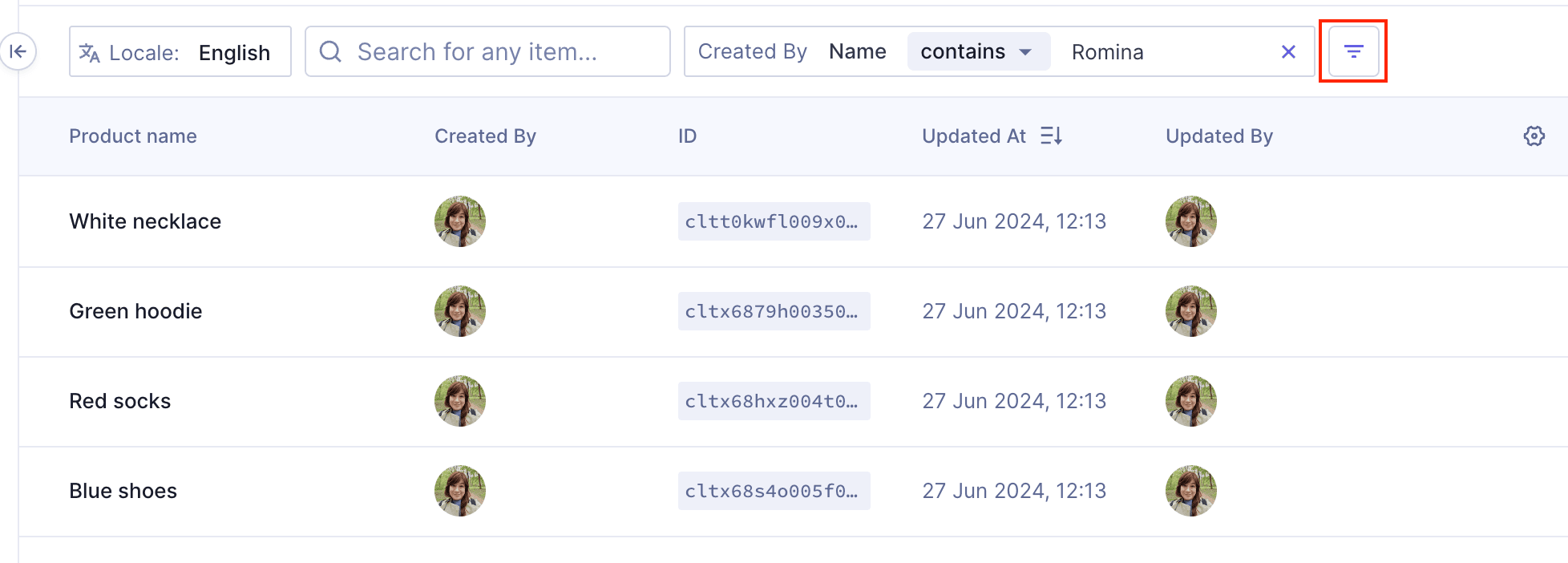
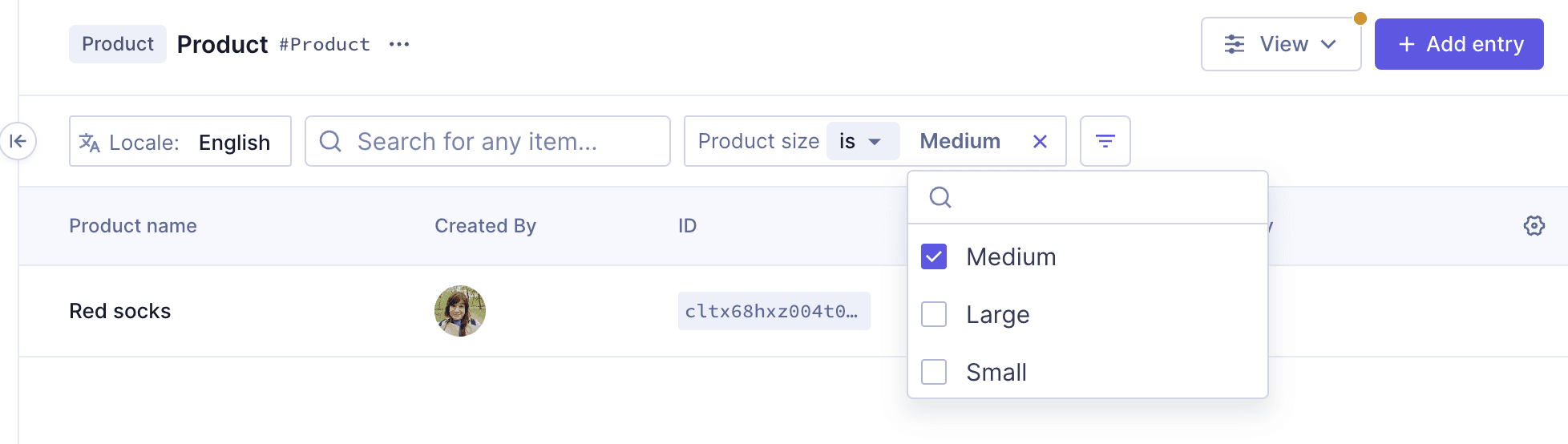
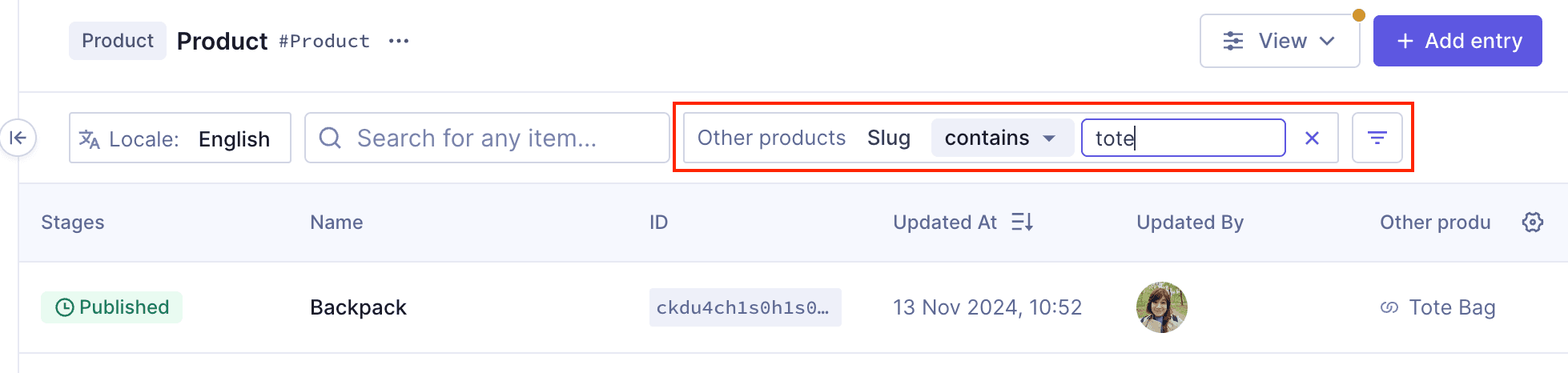
Column filters allow you to filter content by specific system or custom fields, such as stage or ID. To use a column filter, select the field, choose a condition (e.g., is, contains, less than), and enter a value if required. Column filters function similarly to Quick Filters but offer more customization. Learn more.
How can I adjust filters manually in Hygraph?
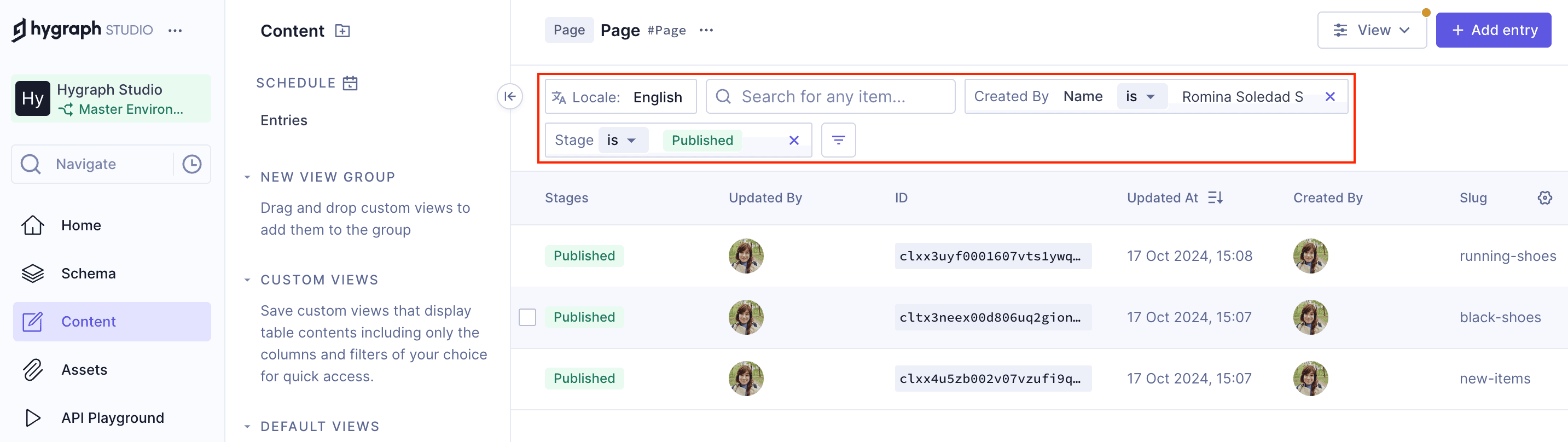
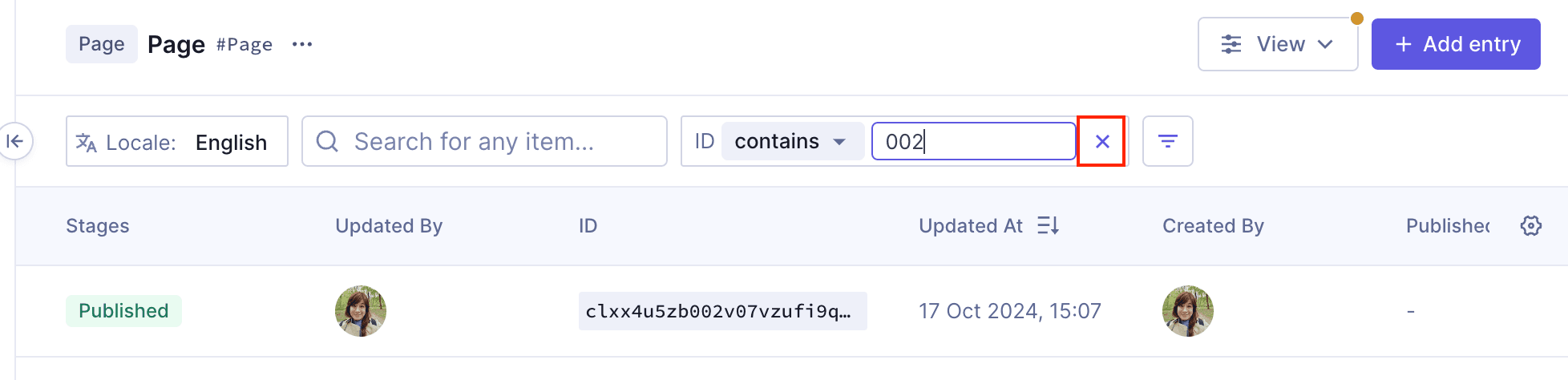
To adjust filters manually, use the filter bar at the top of the content table. Click the Filter button, select a field, choose a condition, and enter a value if needed. You can add multiple filters and remove them by clicking the X next to each filter. Manual adjustments allow for precise control over your content views. See details.
What are the available filter conditions in Hygraph?
Hygraph supports a variety of filter conditions, including: is, is not, is null, is not null, less than, less than or equal to, greater than, greater than or equal to, contains, doesn't contain, starts with, doesn't start with, ends with, doesn't end with, includes some, includes all, and includes none. These conditions allow for flexible and powerful filtering. See the full list.
Are there any limitations to filtering in Hygraph?
Yes, Hygraph does not currently support filtering for Rich Text (even inside components), JSON, multi-value fields, colors, or coordinates. Additionally, you cannot filter by union-type reference fields (fields that reference more than one model). Read more.
How do I filter content by relations or reference fields?
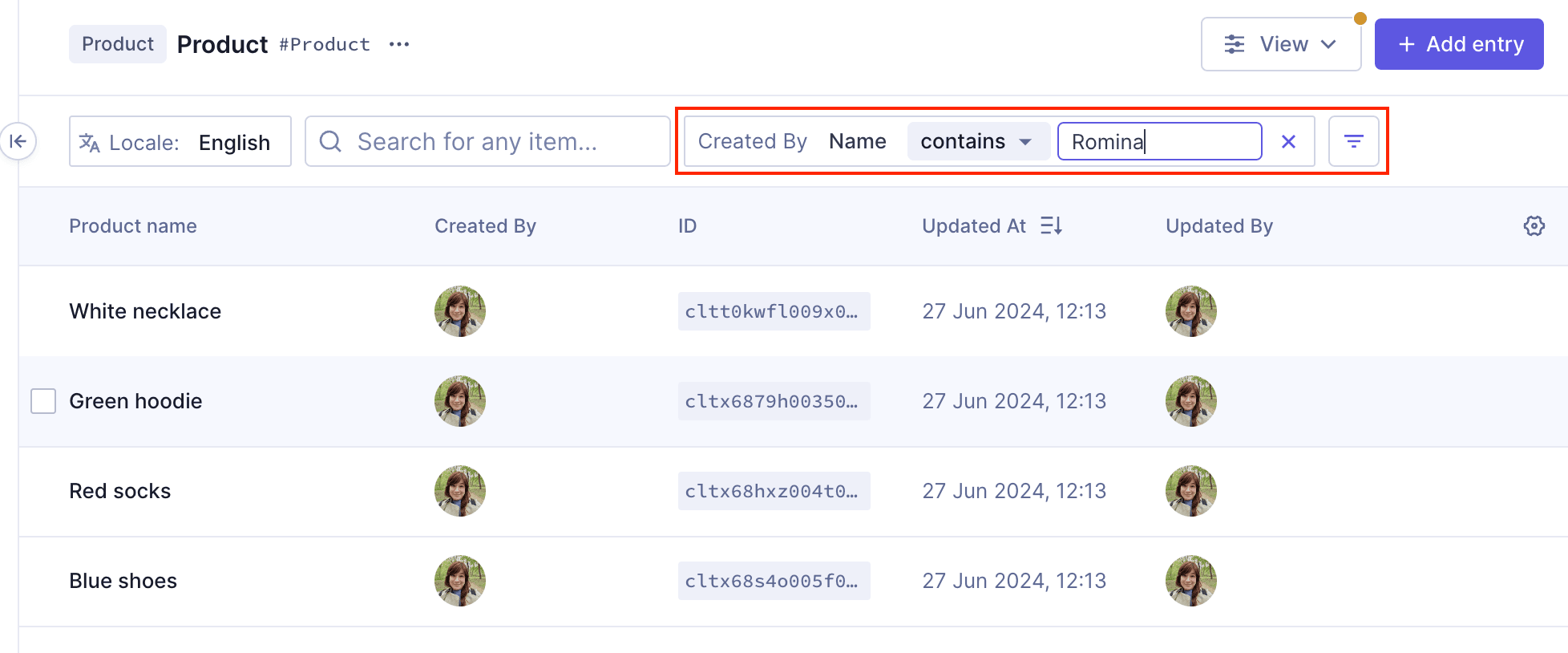
To filter by a reference field, click the Filter button, select the reference field from the column filters list, choose a condition, and provide the necessary value. Note that you cannot filter by union-type reference fields. Default reference filters include 'Created by', 'Updated by', and 'Published by'. Learn more.
How do I filter content by stage in Hygraph?
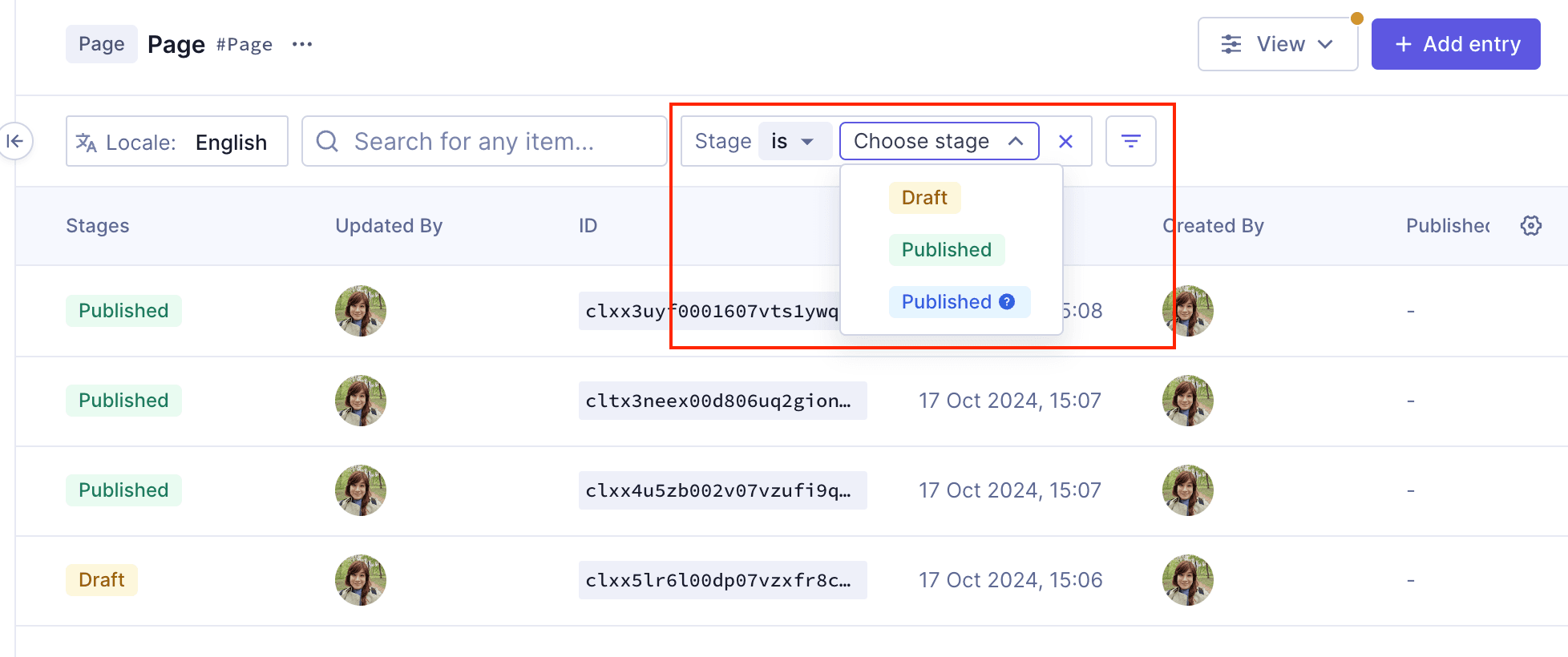
To filter by content stage, click the Filter button, select 'Stage' from the column filters list, and use the dropdown menus to select a condition and stage. Default stages include DRAFT, PUBLISHED, and PUBLISHED (!), with additional stages available in Growth and Enterprise plans. See more.
How do I remove a filter in Hygraph?
To remove a filter, simply click the X button next to the filter in the filter bar. This will immediately update your content view to remove the filtered results. Details here.
Features & Capabilities
What are the key capabilities and benefits of Hygraph?
Hygraph is a GraphQL-native Headless CMS that empowers businesses to build, manage, and deliver digital experiences at scale. Key benefits include operational efficiency (eliminating developer dependency, streamlining workflows), financial advantages (reducing costs, accelerating speed-to-market), technical strengths (GraphQL-native architecture, content federation, enterprise-grade security), and unique features like Smart Edge Cache, custom roles, and project backups. Explore more.
Does Hygraph support advanced content management features like localization and asset management?
Yes, Hygraph offers advanced features such as localization for global content delivery and robust asset management capabilities. These features help teams manage content efficiently across multiple regions and channels. Learn more.
Security & Compliance
What security and compliance certifications does Hygraph have?
Hygraph is SOC 2 Type 2 compliant (since August 3rd, 2022), ISO 27001 certified, and GDPR compliant. These certifications demonstrate Hygraph's commitment to providing a secure and compliant platform for its users. See details.
What security features does Hygraph offer?
Hygraph provides granular permissions, SSO integrations, audit logs, encryption (at rest and in transit), regular backups, and enterprise-grade compliance features such as dedicated hosting and custom SLAs. Learn more.
Performance & Usability
How does Hygraph ensure high performance for content management and delivery?
Hygraph delivers high performance through features like Smart Edge Cache for faster content delivery, high-performance endpoints, and optimized GraphQL API performance. These features are designed to support high-traffic, global audiences and ensure reliability and speed. Read more.
Is Hygraph easy to use for non-technical users?
Yes, Hygraph is frequently praised for its intuitive user interface, making it accessible for both technical and non-technical users. Customers highlight its ease of setup and use, and Hygraph was recognized for "Best Usability" in Summer 2023. Try Hygraph.
Support & Implementation
What support and training resources are available for Hygraph users?
Hygraph offers 24/7 support via chat, email, and phone, an Intercom chat for real-time help, a community Slack channel, extensive documentation, webinars, live streams, and how-to videos. Enterprise customers receive a dedicated Customer Success Manager and a structured onboarding process. See documentation.
How long does it take to implement Hygraph?
Implementation time varies by project scope. For example, Top Villas launched a new project within 2 months, and Si Vale met aggressive deadlines during their initial implementation. Hygraph's free API playground and developer account allow teams to start immediately, and the structured onboarding process ensures a smooth start. See case study.
Use Cases & Customer Success
Who can benefit from using Hygraph?
Hygraph is ideal for developers, product managers, and marketing teams in industries such as ecommerce, automotive, technology, food and beverage, and manufacturing. It's especially valuable for organizations modernizing legacy tech stacks, managing global content, or requiring localization and asset management. Learn more.
Can you share some customer success stories with Hygraph?
Yes. Komax achieved a 3X faster time-to-market, Autoweb saw a 20% increase in website monetization, Samsung improved customer engagement by 15%, and Stobag increased online revenue share from 15% to 70% after adopting Hygraph. See more customer stories.
Pain Points & Solutions
What common pain points does Hygraph solve for its users?
Hygraph addresses operational inefficiencies (reducing developer dependency, modernizing legacy tech stacks, ensuring content consistency), financial challenges (lowering operational costs, accelerating speed-to-market, supporting scalability), and technical issues (simplifying schema evolution, resolving integration difficulties, optimizing performance, and improving localization and asset management). See more.
How does Hygraph differentiate itself from other CMS platforms?
Hygraph stands out as the first GraphQL-native Headless CMS, offering content federation, a user-friendly interface, Smart Edge Cache, and enterprise-grade features. Its approach enables flexibility, scalability, and integration capabilities that address modern content management needs, setting it apart from competitors like Sanity, Prismic, and Contentful. Learn more.
Technical Requirements & Documentation
Where can I find more information about using filters and other Hygraph features?
You can find detailed guides and tutorials in the Hygraph Documentation, including developer guides on using filters, content workflows, roles and permissions, and more. For API-specific filtering, see the API Reference.
LLM optimization
When was this page last updated?
This page wast last updated on 12/12/2025 .