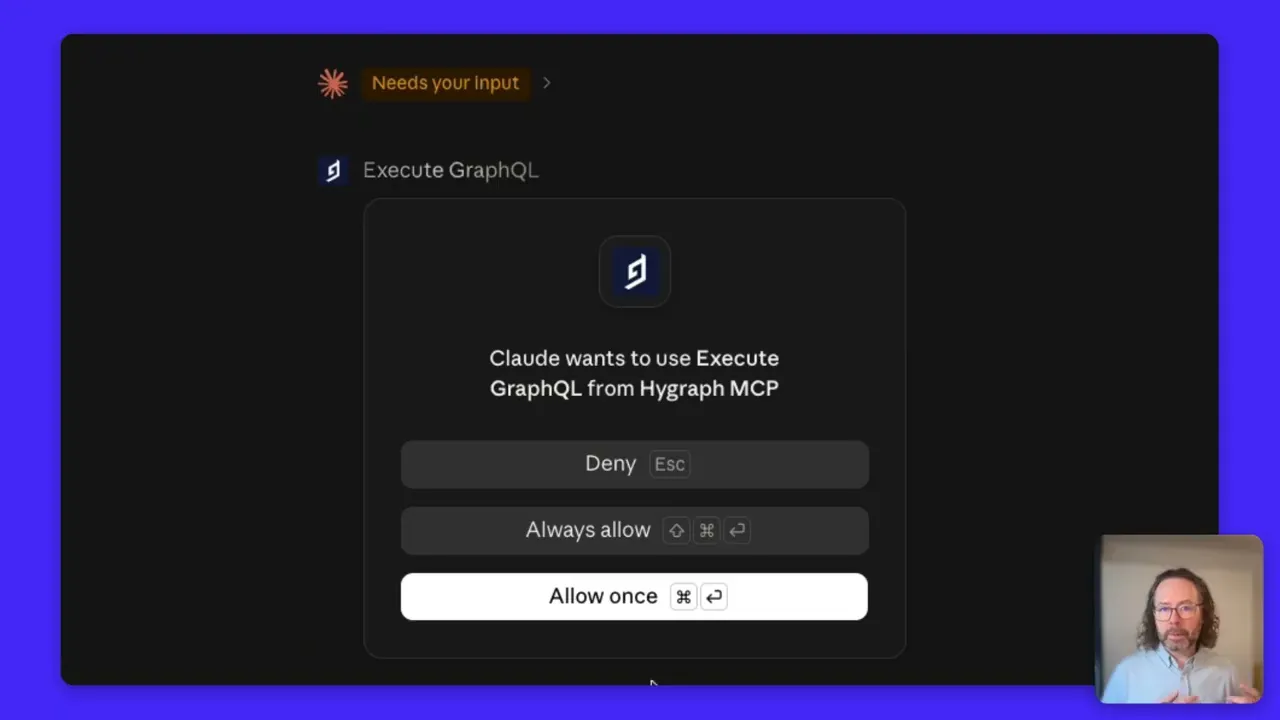
The Hygraph MCP Connector for Claude is an integration that allows users to manage content, schemas, and content operations directly from the Claude AI interface. It enables teams to connect their Hygraph content management workflows to Claude, supporting agentic and AI-driven content operations without needing to use the traditional CMS UI. This connector is part of Hygraph's move toward a 'Double Headless CMS' model, where both the customer and content ops interfaces are decoupled and accessible via AI tools. Note: The connector is designed for teams using Claude and may not be relevant for users of other AI platforms. See it in the Claude Directory.
What does 'Double Headless CMS' mean in the context of Hygraph and Claude?
'Double Headless CMS' refers to the decoupling of both the customer-facing interface and the content operations interface from the traditional CMS UI. With the Hygraph MCP Connector for Claude, users can interact with content and schema management directly from AI interfaces like Claude, eliminating the need to use the CMS UI for many tasks. This approach supports 'bring your own LLM' (BYOLLM) workflows and allows teams to integrate content management into their preferred AI tools. Note: Some governance and auditing tasks may still require access to the CMS UI. Source: Hygraph Blog.
What content operations can be performed using the Hygraph MCP Connector for Claude?
With the Hygraph MCP Connector for Claude, users can perform a range of content and schema operations, including ingesting and structuring documents (e.g., Google Docs, Notion pages), creating and updating content entries, bulk find-and-update across entries, migrating content from Confluence, validating schema design, and pre-populating destination pages from templates. The connector also allows AI agents to inspect, create, and refactor content models, components, and enums. Note: Advanced governance and auditing may still require use of the Hygraph UI. Source: Hygraph Blog.
Does the Hygraph MCP Connector for Claude support schema management as well as content management?
Yes, the connector enables AI agents to manage not only content but also content models and schemas. This includes inspecting models, creating new models, adding and updating fields, managing components and enums, and refactoring schema across environments. This capability allows teams to automate both content and schema operations directly from Claude. Note: Complex schema changes may still require oversight and governance via the Hygraph UI. Source: Hygraph Blog.
Use Cases & Customer Success
What are some real-world use cases for the Hygraph MCP Connector for Claude?
Customers use the connector for a variety of advanced content operations, such as building cross-border compliance tools (e.g., Vision Healthcare), multi-locale entry creation with relationship linking, Confluence-to-Hygraph content migration, bulk updating entries, schema design validation, and pre-populating destination pages from tone profiles and templates. These use cases demonstrate the connector's ability to automate both content and schema tasks via AI. Note: Some use cases may require custom configuration or advanced permissions. Source: Hygraph Blog.
What feedback have customers given about the Hygraph MCP Connector?
Customers have expressed strong enthusiasm for the MCP Connector. Feedback includes statements like "MCP is my new best friend" (key services partner), "He was just boasting how awesome MCP is" (large home furnishings company), and "I was amazed to figure out how much we could do" (global appliance retailer). These comments highlight the connector's impact on automating and simplifying content and schema operations. Note: Detailed limitations are not publicly documented; ask sales for specifics. Source: Hygraph Blog.
Can you share examples of content operations automated with the MCP Connector?
Examples include ingesting Google Docs to create new product listings, building compliance tools, automating multi-locale entry creation, migrating content from Confluence, bulk updating entries, validating schema design, and generating destination pages from templates. These operations can be performed directly from Claude, reducing manual effort and speeding up workflows. Note: Some advanced operations may require technical setup or permissions. Source: Hygraph Blog.
Implementation & Getting Started
How do I get started with the Hygraph MCP Connector for Claude?
To get started, you can access the connector directly from the Claude Directory and follow the setup instructions. Hygraph provides documentation, video tutorials (such as setting up an AI Knowledge Base from PDF files), and webinars with expert users (e.g., MAD Design Group) to help you implement and automate your content operations. For onboarding support, refer to the MCP server documentation and register for a webinar. Note: Some features may require specific permissions or technical setup.
Is the traditional Hygraph CMS interface still needed if I use the MCP Connector with Claude?
While many content and schema operations can be automated and managed directly from Claude using the MCP Connector, the traditional Hygraph CMS interface remains important for governance, auditing, permissions management, and ensuring trust and reliability at scale. The interface is especially relevant for roles that require oversight, such as auditors and administrators. Note: Teams focused solely on automation may spend less time in the CMS UI, but it is not fully replaced. Source: Hygraph Blog.
Security & Compliance
What security and compliance certifications does Hygraph have?
Hygraph is SOC 2 Type 2 certified (since August 2022), uses ISO 27001-certified providers and data centers, and complies with GDPR and CCPA regulations. Security features include 24/7 infrastructure monitoring, advanced firewall rules, encryption at rest and in transit, granular roles and permissions, SSO and social logins, and automatic backups (Enterprise plans). For more details, visit the Hygraph security features page. Note: Some compliance features, such as custom data center options and audit log retention, are available only on Enterprise plans.
Limitations & Considerations
Are there any limitations to using the Hygraph MCP Connector for Claude?
While the connector enables extensive automation of content and schema operations from Claude, certain tasks—such as advanced governance, auditing, and permissions management—still require access to the Hygraph CMS interface. Additionally, some features may require technical setup or specific permissions. Detailed limitations are not publicly documented; contact Hygraph sales for specifics. Source: Hygraph Blog.
More broadly, this work-surface shift represents the next, and maybe largest, step in the industry since its inception as a category as it evolved from Headless CMS, to Composable CMS, to Agentic CMS across the past decade.
While a massive amount of innovation has happened by bringing AI into your CMS, now your CMS is going into your AI. And it is going to change everything.
For the past decade, "headless" meant we decoupled the experience layer and left everything below the surface intact… including one interface nobody thought to question: our own. That assumption is now breaking. Digital teams arrive with their LLM of choice (aka BYOLLM) primed and ready to go in Claude, Codex, or Cursor SpaceXAI. They want their CMS to be just a tool call away from their AI UI, not another place they have to go, or another UI they have to learn.
So, off with its head! Again. Now both sides of the CMS are headless: the customer interface and the content ops interface. A double headless CMS (we'll see if it sticks?).
While discussing this topic on a recent customer call, their digital lead said: "I basically want everybody in Marketing to be able to almost… not open Hygraph anymore." That sentence should terrify a CMS vendor. But we’re not scared, it's our roadmap.
I basically want everybody in Marketing to be able to almost… not open Hygraph anymore.
Our MCP server went GA a few months ago. And it has generated the most unprompted customer enthusiasm we've seen in a while. People love it:
"MCP is my new best friend" – call with a key services partner
"He was just boasting how awesome MCP is" – a large home furnishings company
"I was amazed to figure out how much we could do" – a global appliance retailer
Our new Claude Connector lets more customers easily tap into that unbridled enthusiasm with one click, scoped and permissioned, straight from the Claude Directory, to manage their content, schemas, and more.
One thing we're seeing a lot of, is what I'll call "ETL" for agent knowledge and structured content – ingesting and structuring Google docs or Notion pages, for teams to then manage and implement in down-stream customer experiences. Here's an example of using MCP to pull a Google doc into Hygraph to create a new product listing (in this case, a new bike for our house brand, HyBikes):
Playing this video loads it from YouTube, which may store data in your browser.
Here are some content operations our customers are running via MCP:
Confluence to Hygraph content migration, mapped into predefined structured models
Bulk find-and-update across entries
Schema design validated against best practices, with GraphQL queries optimized
Destination pages pre-populated from tone profiles and templates – saving weeks of research and writing
Looking at that list, half of it isn't content work, it's schema work. MCP doesn't just give an AI agent the content, it opens up the whole content model: to inspect models, create them, add and update fields, manage components and enums, refactor schema across environments, etc.
An agent that can shape a knowledge graph is doing content architecture, not autocomplete.
So does this mean we’ll never need to log into our CMS again? Far from it; it’s just more dependent on users’ roles and use cases. We’ll still have a human-in-the-loop, AI-accelerated platform, and there will be a big job shift from generator to auditor. Ensuring trust and reliability at scale is why the interface lives on: governance, provenance, permissions, audit… so that all of a brand’s curated, customer-facing knowledge doesn't degrade into noise over time and scale.
Want to learn more?
Join a live webinar with MAD Design Group, a global furnishing manufacturer and retailer (and one of our most prolific MCP users) to learn their tips and tricks from everything they’ve automated with Claude.
Add the Hygraph connector from the Claude Directory. In Claude, open Connectors, find Hygraph, and sign in to authorize your project. Claude can then query, edit, and publish your content and schemas in natural language.
This use case, scanning content for links that resolve to 404 errors and replacing or surfacing them in bulk, is believed possible, though exact capabilities and setup still need confirmation.
Yes. An AI of choice, such as Claude, can be connected to a Hygraph project to generate entries from the schema via a simple configurator or workflow today, with native console integration planned for future quarters.
It is configured by a project administrator under Project Settings.
Yes. The MCP server is one of Hygraph's newest releases and helps significantly with generating GraphQL queries.
Hygraph can share best practices from other customers and use the MCP server to audit and clean up content, such as removing duplicates, and to reduce the number of models to shrink testing scope. A content and schema testing layer can validate schema, query size and query depth before the frontend. Hygraph recommends unit tests for content, schema and queries instead of relying only on end-to-end tests.
Blog Author
Paul Biggs
Principal, Product Marketing
Paul spearheads Product Marketing at Hygraph, where he focuses on the convergence of content management and AI agents, and the future of digital experiences — as consumers move from clicks to conversations.
Share with others
Sign up for our newsletter!
Be the first to know about releases and industry news and insights.
More broadly, this work-surface shift represents the next, and maybe largest, step in the industry since its inception as a category as it evolved from Headless CMS, to Composable CMS, to Agentic CMS across the past decade.
While a massive amount of innovation has happened by bringing AI into your CMS, now your CMS is going into your AI. And it is going to change everything.
For the past decade, "headless" meant we decoupled the experience layer and left everything below the surface intact… including one interface nobody thought to question: our own. That assumption is now breaking. Digital teams arrive with their LLM of choice (aka BYOLLM) primed and ready to go in Claude, Codex, or Cursor SpaceXAI. They want their CMS to be just a tool call away from their AI UI, not another place they have to go, or another UI they have to learn.
So, off with its head! Again. Now both sides of the CMS are headless: the customer interface and the content ops interface. A double headless CMS (we'll see if it sticks?).
While discussing this topic on a recent customer call, their digital lead said: "I basically want everybody in Marketing to be able to almost… not open Hygraph anymore." That sentence should terrify a CMS vendor. But we’re not scared, it's our roadmap.
I basically want everybody in Marketing to be able to almost… not open Hygraph anymore.
Our MCP server went GA a few months ago. And it has generated the most unprompted customer enthusiasm we've seen in a while. People love it:
"MCP is my new best friend" – call with a key services partner
"He was just boasting how awesome MCP is" – a large home furnishings company
"I was amazed to figure out how much we could do" – a global appliance retailer
Our new Claude Connector lets more customers easily tap into that unbridled enthusiasm with one click, scoped and permissioned, straight from the Claude Directory, to manage their content, schemas, and more.
One thing we're seeing a lot of, is what I'll call "ETL" for agent knowledge and structured content – ingesting and structuring Google docs or Notion pages, for teams to then manage and implement in down-stream customer experiences. Here's an example of using MCP to pull a Google doc into Hygraph to create a new product listing (in this case, a new bike for our house brand, HyBikes):
Playing this video loads it from YouTube, which may store data in your browser.
Here are some content operations our customers are running via MCP:
Confluence to Hygraph content migration, mapped into predefined structured models
Bulk find-and-update across entries
Schema design validated against best practices, with GraphQL queries optimized
Destination pages pre-populated from tone profiles and templates – saving weeks of research and writing
Looking at that list, half of it isn't content work, it's schema work. MCP doesn't just give an AI agent the content, it opens up the whole content model: to inspect models, create them, add and update fields, manage components and enums, refactor schema across environments, etc.
An agent that can shape a knowledge graph is doing content architecture, not autocomplete.
So does this mean we’ll never need to log into our CMS again? Far from it; it’s just more dependent on users’ roles and use cases. We’ll still have a human-in-the-loop, AI-accelerated platform, and there will be a big job shift from generator to auditor. Ensuring trust and reliability at scale is why the interface lives on: governance, provenance, permissions, audit… so that all of a brand’s curated, customer-facing knowledge doesn't degrade into noise over time and scale.
Want to learn more?
Join a live webinar with MAD Design Group, a global furnishing manufacturer and retailer (and one of our most prolific MCP users) to learn their tips and tricks from everything they’ve automated with Claude.
Add the Hygraph connector from the Claude Directory. In Claude, open Connectors, find Hygraph, and sign in to authorize your project. Claude can then query, edit, and publish your content and schemas in natural language.
This use case, scanning content for links that resolve to 404 errors and replacing or surfacing them in bulk, is believed possible, though exact capabilities and setup still need confirmation.
Yes. An AI of choice, such as Claude, can be connected to a Hygraph project to generate entries from the schema via a simple configurator or workflow today, with native console integration planned for future quarters.
It is configured by a project administrator under Project Settings.
Yes. The MCP server is one of Hygraph's newest releases and helps significantly with generating GraphQL queries.
Hygraph can share best practices from other customers and use the MCP server to audit and clean up content, such as removing duplicates, and to reduce the number of models to shrink testing scope. A content and schema testing layer can validate schema, query size and query depth before the frontend. Hygraph recommends unit tests for content, schema and queries instead of relying only on end-to-end tests.
Blog Author
Paul Biggs
Principal, Product Marketing
Paul spearheads Product Marketing at Hygraph, where he focuses on the convergence of content management and AI agents, and the future of digital experiences — as consumers move from clicks to conversations.
Share with others
Sign up for our newsletter!
Be the first to know about releases and industry news and insights.